Newtec Dialog Time Series Database
About
The Newtec Dialog NMS (Network Management System) is the unified management interface for the ST Engineering iDirect (formerly Newtec) Dialog satellite communication platform. It uses a Time Series Database (TSDB) to store performance metrics for monitoring and analysis.
The Dialog NMS provides a single, unified interface for all configuration, monitoring, and troubleshooting operations across the entire Dialog platform, from small private hubs to large, globally distributed High-Throughput Satellite (HTS) networks. The Newtec Dialog Platform VSAT connector collects and organizes data from a Newtec Dialog platform that stores its metrics in a TSDB (i.e., Influx DB).
This connector retrieves data from the Newtec Dialog Platform via its REST API and via the TSDB API. Data from both sources is aggregated into the connector.
The connector uses the following APIs:
- Newtec Dialog Restful Standard API (Central Dialog NMS): Configuration data of the Dialog system is retrieved using this API.
- Newtec Dialog TSDB API (Hub Gateway Database): Statistics, metrics of terminals, and sat networks are retrieved using the TSDB API.
Configuration
Connections
This connector uses three HTTP connections.
HTTP Connection 1 and 2
These are used to communicate with the Newtec Dialog Restful Standard API. The following input is required during element creation:
- IP address/host: The IP of the Newtec Central NMS.
- IP port: 80 (default connection 1) and 8086 (default connection 2 and 3)
- Device address: BypassProxy
For connection 2, select the checkbox Skip SSL/TLS certificate verification in case this verification is not supported for your setup.
SNMP Connection
An SNMP connection is used for the ping feature, requiring the following input during element creation:
- IP address/host: The IP of the Newtec Central NMS.
- Port number: 161
Configuration of Main and Backup CNMS
If a main and backup CNMS are present, additional settings need to be filled in on the Standard API Polling page. On this page, the IP and port of the main and backup should be configured, and polling can be enabled to either main or backup. The IP addresses specified in the element editor will then not matter.
Note that if there is only one CNMS, it is enough to configure the HTTP connections above only.
Additionally, the authentication details on the General page must be configured.
Polling IP format: 10.0.0.1:80
TSDB configuration
All TSDBs that need to be polled need to be added to the Database Configuration table, which is located on the TSDB Polling page. In addition, the TSDB Polling Status on the Polling Settings page must be enabled.
Enabling Polling
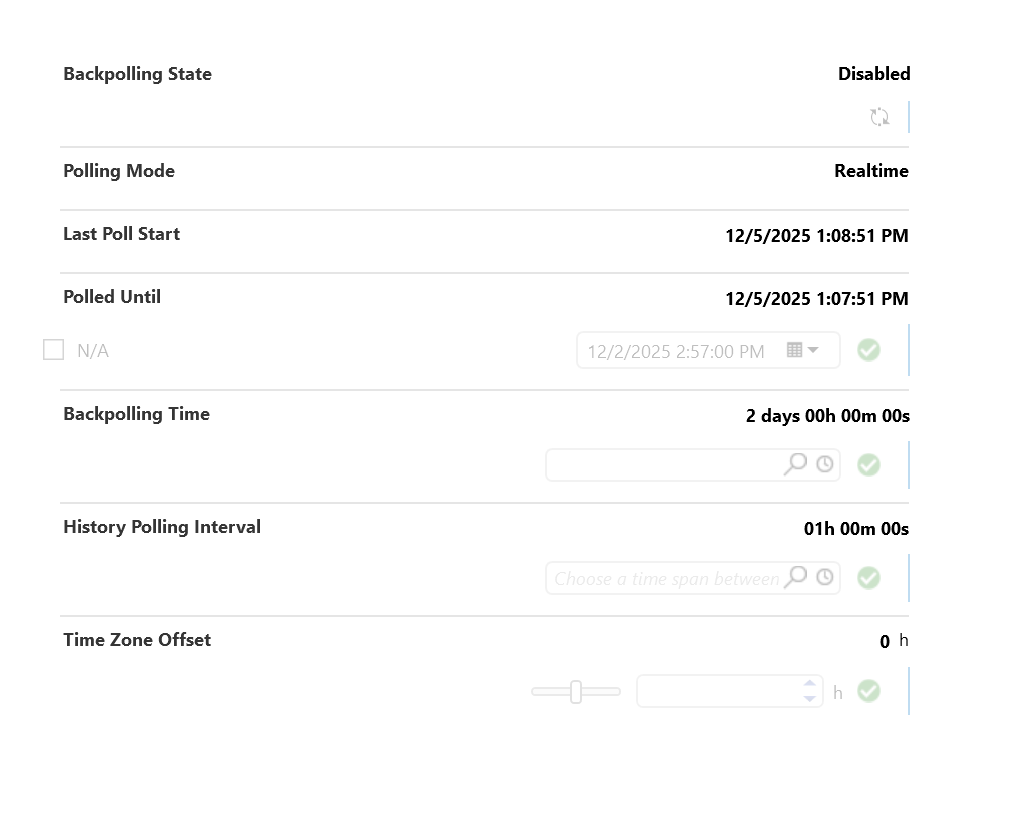
When the element has been created, you can enable the backpolling feature on the General > Backpolling page. This is intended for the TSDB data only, as the config data does not support backpolling.
To retrieve TSDB data, configure the TSDB database on the TSDB > TSDB Polling page. Remember to enable the polling for the databases that you want to be polled.
On the TSDB > Polling Settings page, you can use the toggle button at the top to enable the overall polling of the TSDB. With the polling table below this, you can fine-tune which data should or should not be polled.
How to use
General Page
Using this page, you can:
Configure and apply the credentials for user authentication of the REST API in order to collect data from the Dialog platform.
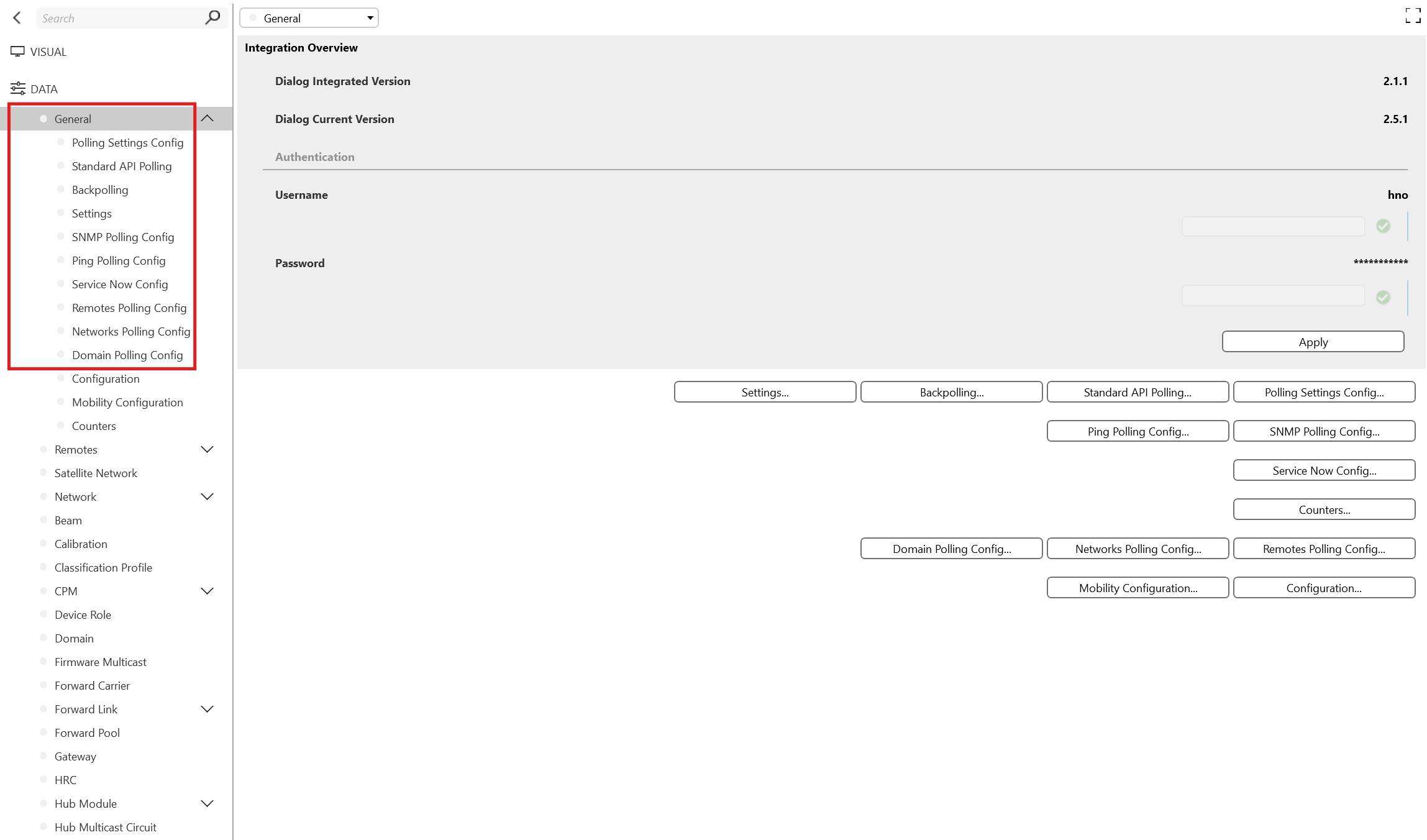
Control the API polling configuration, for example setting the interval time or enabling/disabling polling.
Enable the polling and DVE creation independently for terminals and satellite networks, through multiple subpages.
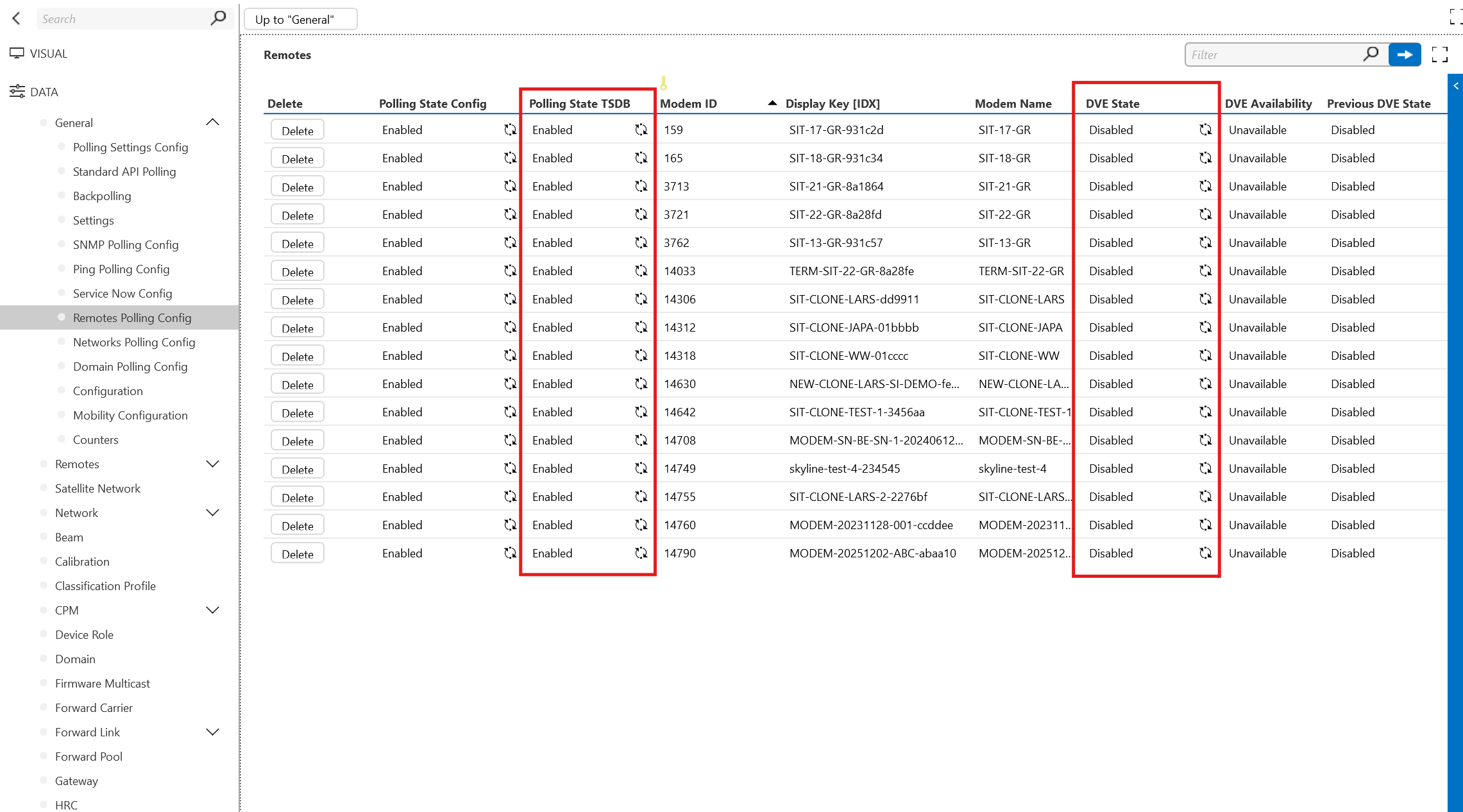
Polling Settings Config Page
On this page, you can enable polling of the restful API.
Standard API Polling Page
On this page, you can:
- Configure the main and backup CNMS IP address and port.
- Switch polling between the main and backup CNMS.
Backpolling Page
On this page, you can configure backfilling for trend data during maintenance and upgrade scenarios.
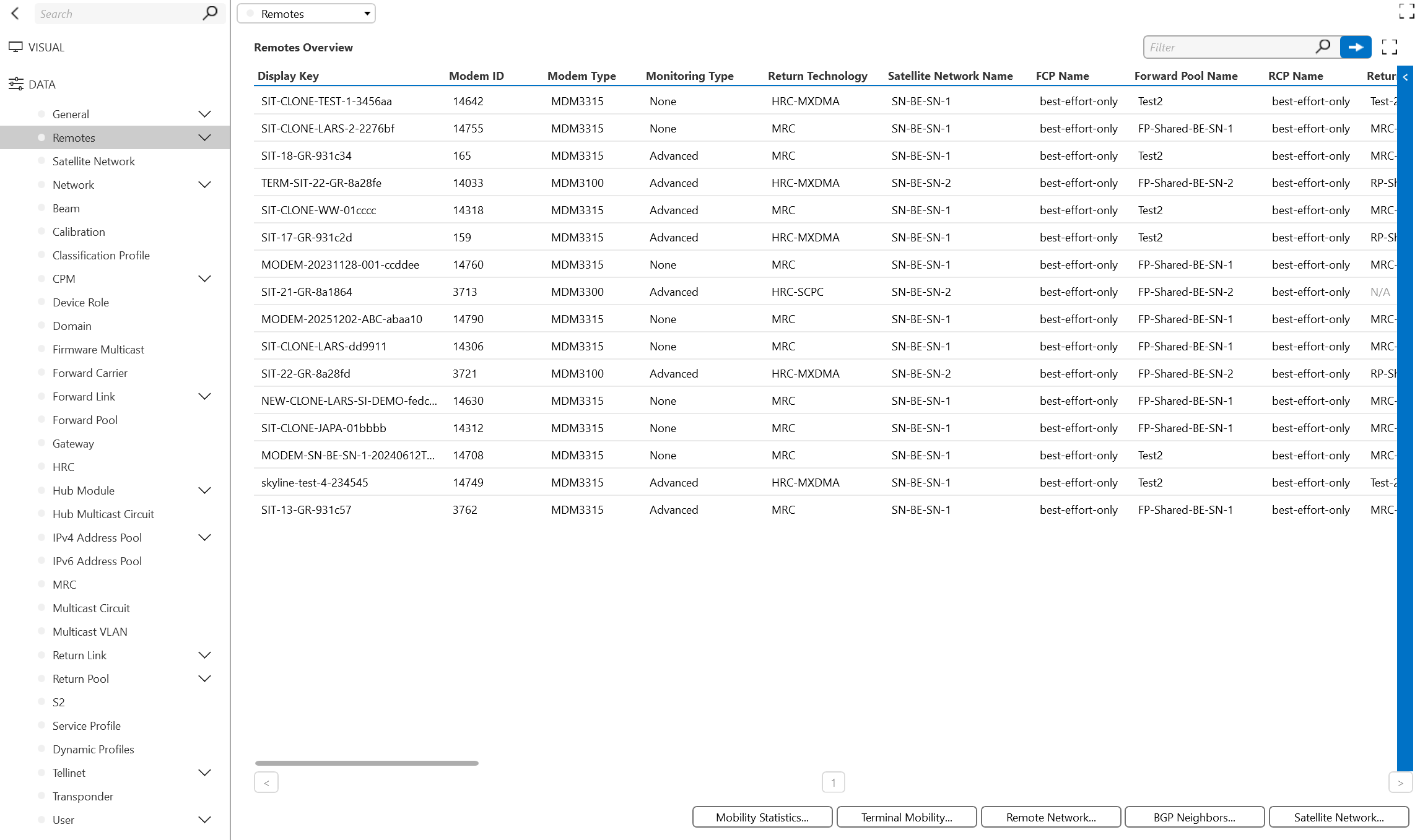
Remotes Page
On this page, you can monitor the config data from Dialog NMS, which provides the configuration for all components of Dialog NMS, i.e. Remotes, Satellite Networks (SatNets), Beams, Service Profiles, Carriers, Pools, Gateway, Transponders, Hub Modules, etc.
TSDB Page
This page displays two tables that contain information about each remote and network DVE.
The following settings are available:
TSDB API polling configuration: Including the interval time and whether polling is enabled/disabled.
Auto enable DVEs: When this is enabled, if the connector detects a new remote or network, a new DVE element will automatically be created.
Auto Delete DVEs: When this is enabled, if a remote or network is deactivated or removed, the corresponding DVE element will automatically be deleted in DataMiner. When this is disabled, you can delete the DVE manually by clicking the Delete button in the table.
TSDB Polling Page
On this page, you can:
Define the TSDB polling timeout, which determines when polling should automatically restart if it stops because of issues.
Configure the TSDB HTTP username and password, used for authentication when collecting data.
Enable or disable TSDB polling for the configured databases.
Beams Page
On this subpage of Remotes TSDB, you can track the performance monitoring data along with the aggregations for V terminals using the Remote TSDB data.
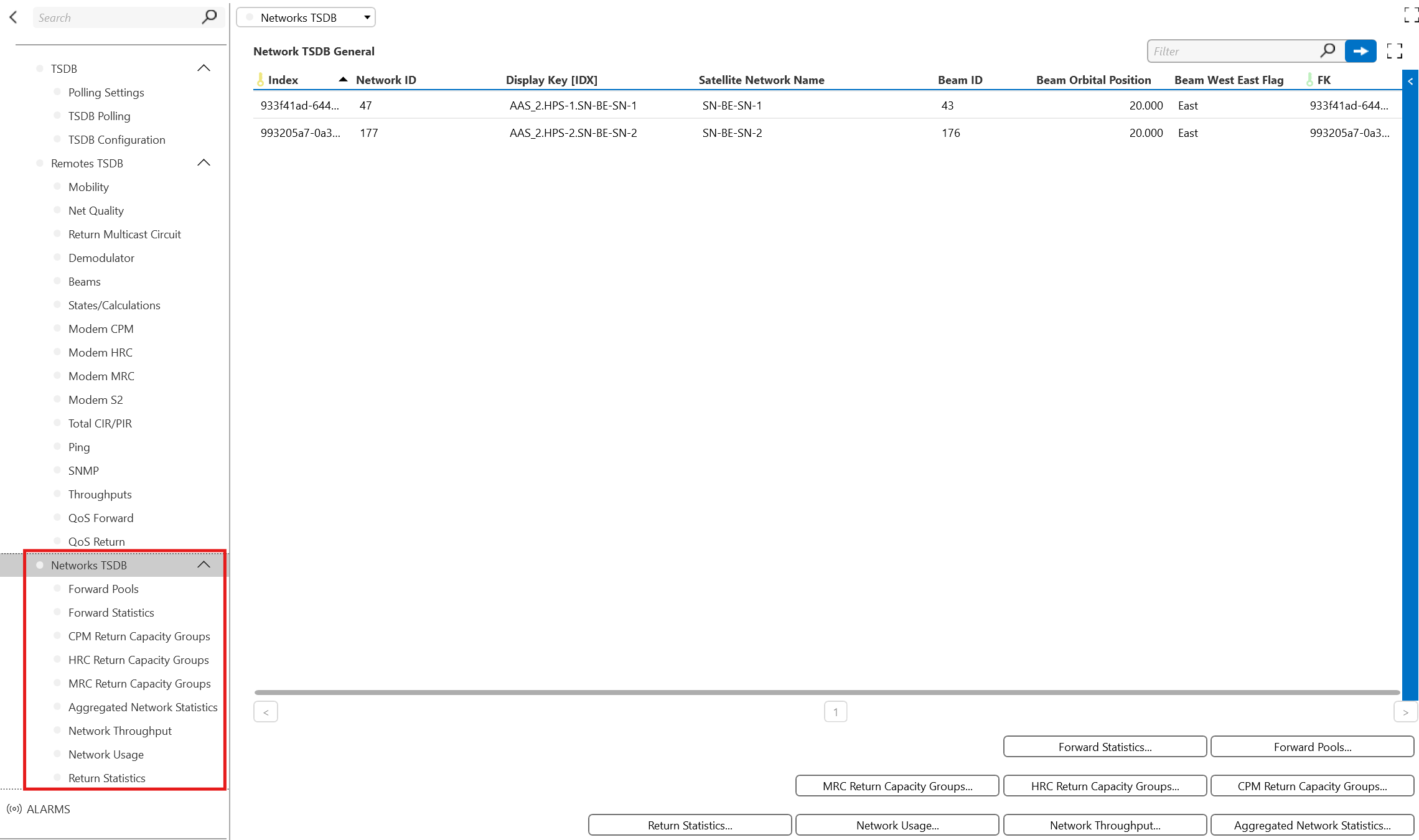
Networks TSDB page
On this page, you can track the performance monitoring data along with the aggregations for the Satellite Networks using the Network TSDB.
Notes
For more details, visit the DataMiner Catalog or contact your system administrator.