Checking the hosting Agent cache
From DataMiner 10.5.0 [CU10]/10.6.1 onwards, you can use SLNetClientTest tool to retrieve the contents of the hosting cache used by SLDataMiner. This will allow you to check if an element is hosted by the local Agent or not.
In the Diagnostics menu, select DMA > Elements (Hosting Cache).
Double-click the new message that appears in the Properties tab of the main window, or select the message and check the Text pane on the right.
You will see a list of all the elements known by SLDataMiner, mentioning first the hosting Agent and then the element ID.
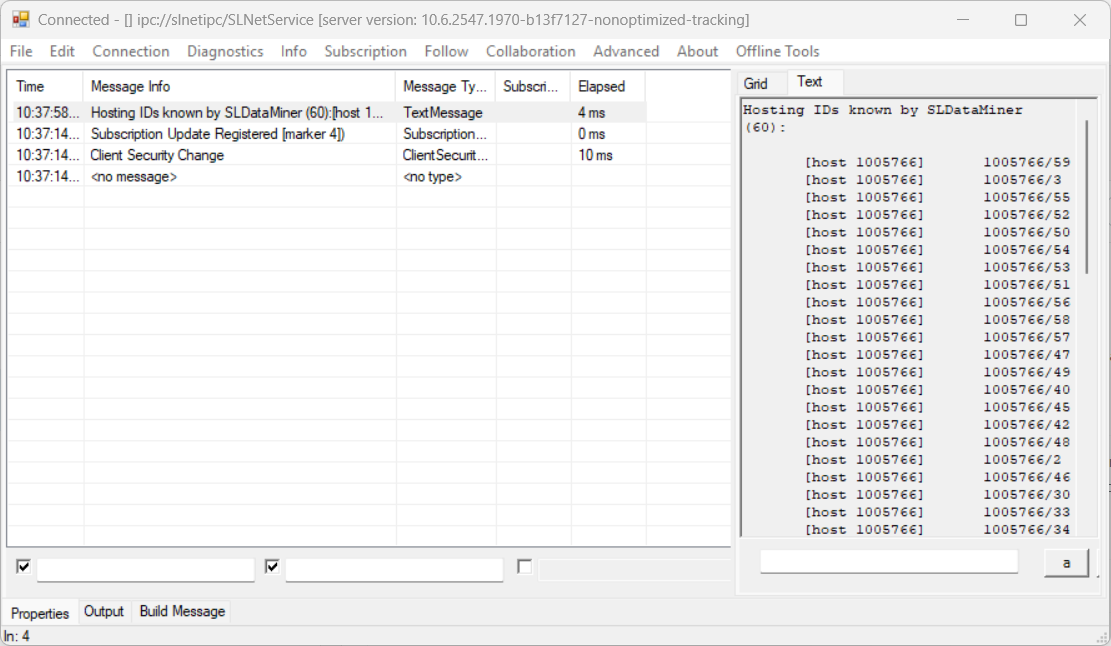
Hosting cache shown by SLNetClientTest tool using DataMiner 10.6.1