Relation learning
With the relation learning feature, you can add related parameters to your trend graphs to get a better understanding of what is happening in your system. This way, you can uncover hidden connections in your data that you might not have noticed otherwise. This means that you do not have to spend hours sifting through data to find connections, because DataMiner Analytics will do the work for you.
Related parameters are available via the light bulb in the upper-right corner of a trend graph:
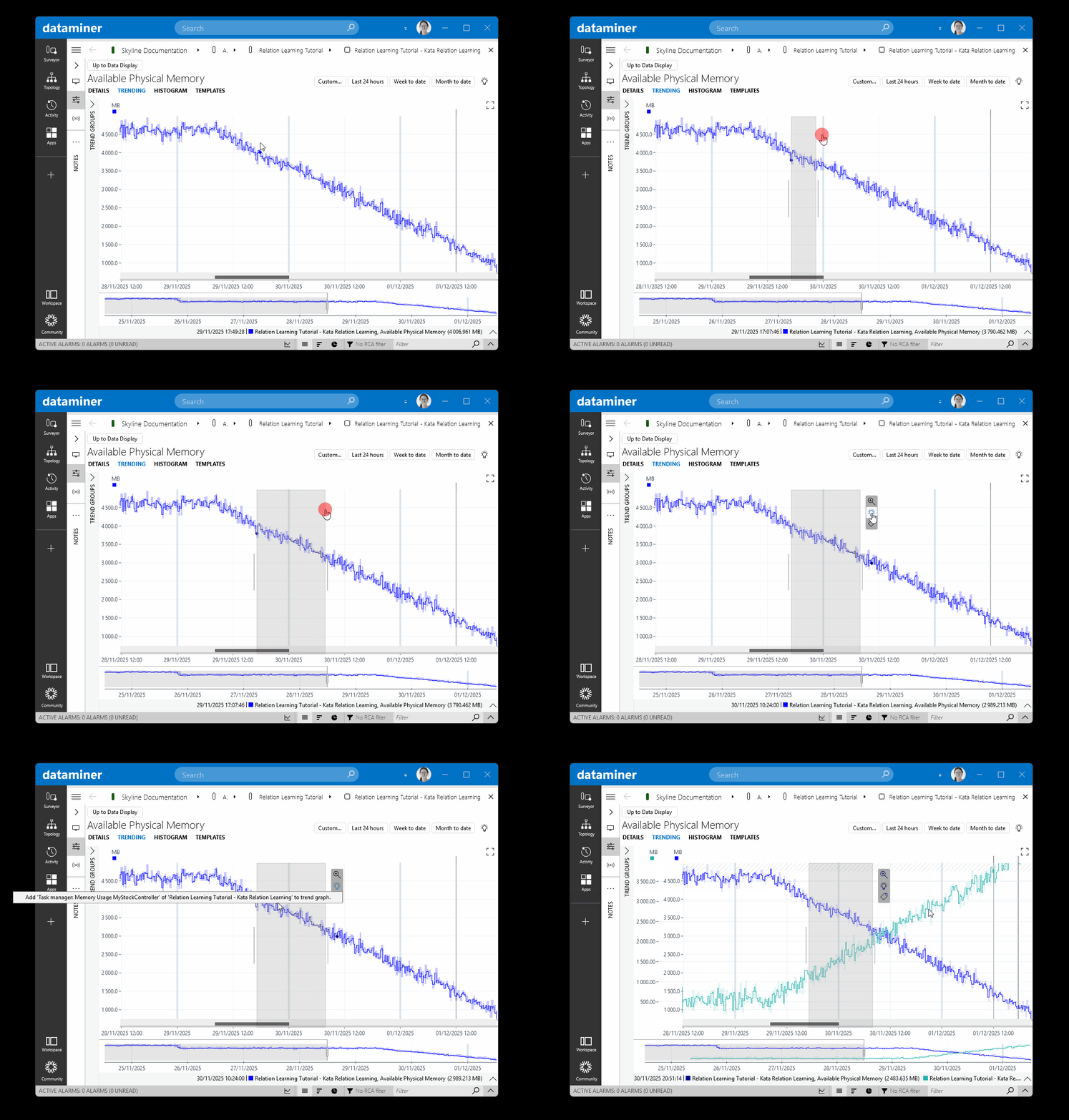
Relation learning in DataMiner 10.6.5
There are two ways to use this feature:
Click the light bulb without selecting anything first, to look for related parameters based on the entire history of the parameter.
Select a section of the graph and then click the light bulb, to look for related parameters based on the behavior of the parameters during the time range of the selected section (feature available from DataMiner 10.3.8/10.4.0 onwards).