Natural language to GQI
Natural language to GQI is a DataMiner Intelligence capability that uses a large language model (LLM) to turn plain-language requests into ready-to-execute GQI queries. The DataMiner Assistant module powers this capability.
You can use this feature when configuring queries in dashboards or low-code apps.
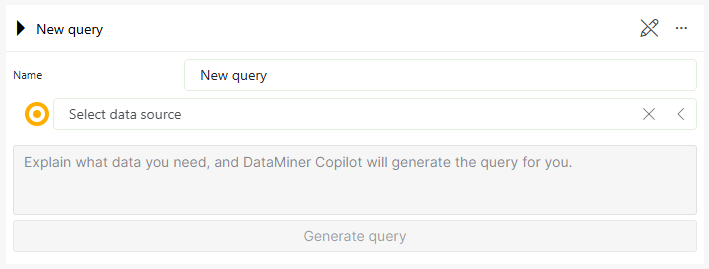
Natural language to GQI feature in DataMiner Web 10.6.2
Examples of natural-language requests include:
- "Show me all the critical alarms from last week"
- "Sort elements by their name"
The result will be a GQI query that you can use to fetch the requested data.
Requirements
- Your DataMiner System must run DataMiner 10.7.0/10.7.1 or later.
- The system-wide DataMiner Intelligence web apps setting must be enabled.
- You must have the General > DataMiner Intelligence > Access user permission.
- The feature must be enabled in the app settings.
Tip
For more information, see Getting started with DataMiner Intelligence.
Supported GQI operators
Natural language to GQI supports the following operators:
Note
This feature does not currently support column manipulations or custom operators.
Supported GQI data sources
Natural language to GQI automatically detects GQI data sources available in your DataMiner System, including ad hoc data sources and object manager instances. However, data sources requiring the selection of a parameter are not supported. For example, it is not possible to use data sources like Get parameter table by ID, which requires the selection of an element ID.
Note
For performance reasons, the feature caches information about GQI data sources. This cache is refreshed once a day at a random time. Therefore, newly added data sources might be unavailable for a short time after creation.
Important
The model receives DataMiner context but cannot see the data contained in the data sources. If it selects an unsuitable operator, try rephrasing your request with more specific instructions.
Enabling this feature
To enable this feature, create the file C:\Program Files\Skyline Communications\DataMiner Assistant\appsettings.custom.json with the following content:
{
  "NL2GQIOptions": {
    "ShowUserInterface": true
  }
}
This file needs to be created on every Agent in the DataMiner System where the DxM is installed.
Note
Prior to DataMiner 10.7.0/10.7.1, it is possible to enable this feature in preview. This is possible starting from DataMiner 10.5.0 [CU11]/10.6.2