Managing APIs and tokens in DataMiner Cube
Note
Before you try to execute these procedures, make sure you have the user permissions available under Modules > User-Defined APIs.
Configuring APIs and tokens
Go to System Center > User-Defined APIs.
Use the buttons below the table to create an API or token, or to edit or delete the selected API or token.
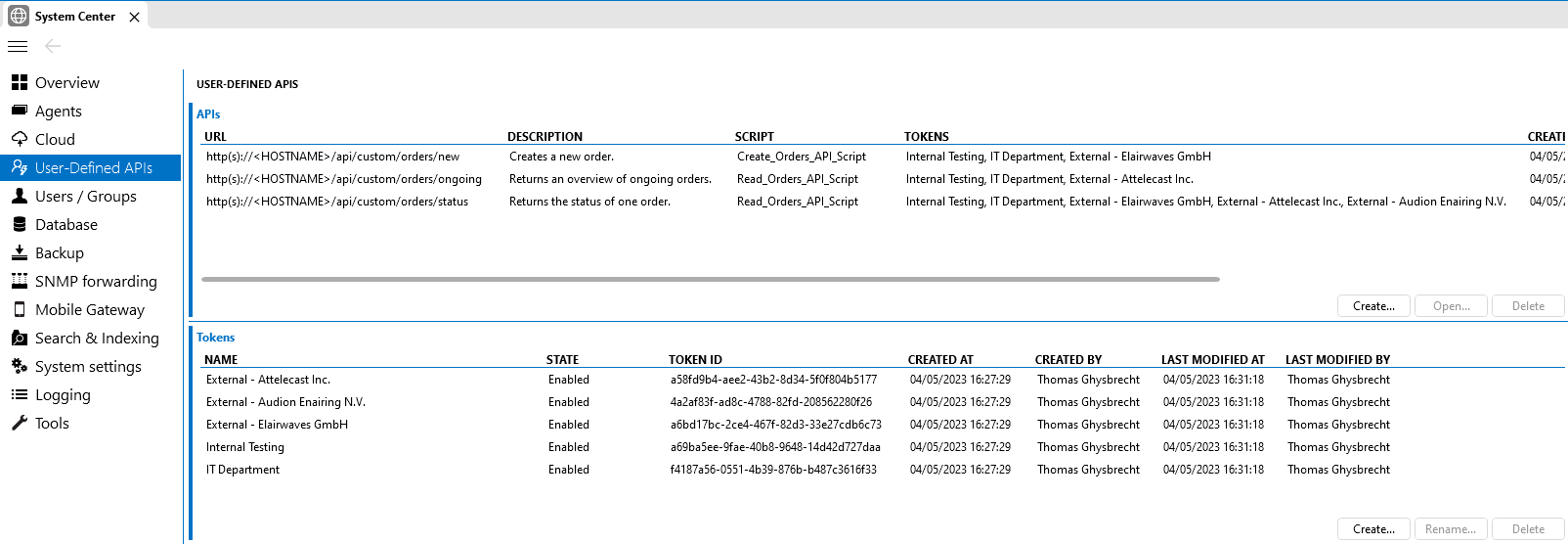
User-Defined APIs page in DataMiner 10.6.11
Note
- You can also create an API and tokens in the Automation app. See Creating an API and tokens in DataMiner Automation. This is very similar to the creation in System Center, except you can only configure the APIs and tokens for one specific script at a time.
- It is not possible to delete a token that is in use by an API. You first need to unassign the token from all APIs using it before you can delete it. If you want to block access to a token rapidly, you can disable it instead.
Enabling or disabling API tokens
Go to System Center > User-Defined APIs.
Right-click the token in the Tokens table and select Enable or Disable.
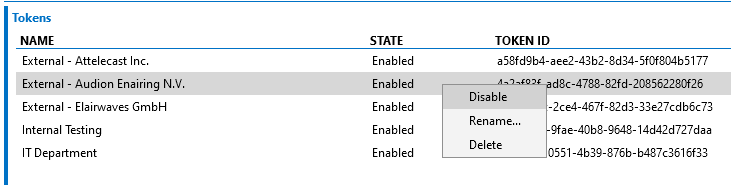
Enabling or disabling an API token in DataMiner 10.3.6
Configuring a rate limit for an API token
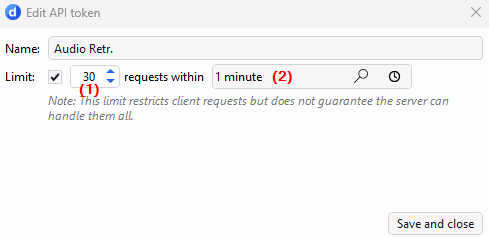
From DataMiner 10.6.9/10.7.0 onwards, when creating or editing an API token, you can configure a rate limit for that token. The rate limit restricts the number of requests a client can make within a specified time window.
Go to System Center > User-Defined APIs.
Under Tokens, select Create in the lower-right corner.
New tokens are created with a default rate limit of 60 requests per minute.
If you want to change the default rate limit, configure the following settings:
Limit (1): Maximum number of requests allowed within the configured window (from 1 to 100).
Window (2): Sliding time window during which the limit applies (from 1 second to 1 day).
Notice generation (3): Available from DataMiner 10.5.0 [CU20]/10.6.0 [CU8]/10.6.11 onwards. Enables a notice when the token reaches its configured rate limit. This option is disabled by default.
Note
In earlier versions, this setting is not available in the UI. Where supported, configure
GenerateNoticethrough the C# API instead. See RateLimit.
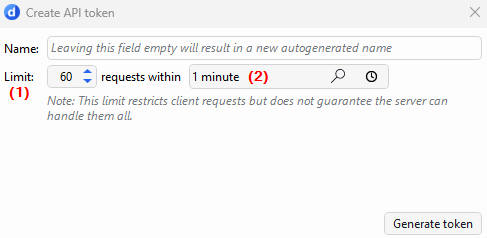
Create API token window in DataMiner 10.6.11Select Generate token.
Note
A configured rate limit restricts the number of requests a client can make within a specified time window. However, it does not guarantee that the server can process all requests up to that limit. Actual throughput depends on several factors, including the execution time of the API script, the number of concurrently active tokens, and overall server load.
Getting the API URL blueprint
Go to System Center > User-Defined APIs.
Right-click the API in the APIs table and select Copy URL.
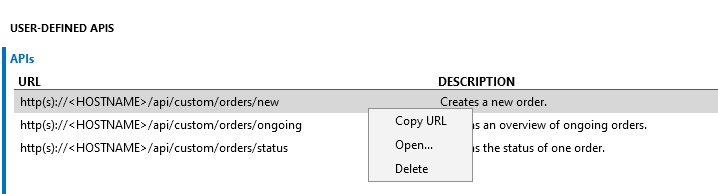
Copying an API URL in DataMiner 10.3.6