Using wildcards or regular expressions in alarm filters
Using wildcard expressions
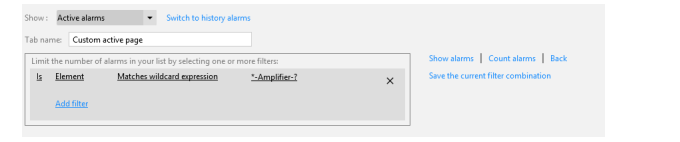
The example below shows a filter for elements matching a particular wildcard expression.
Using regular expressions
If you want to filter alarms using a regular expression:
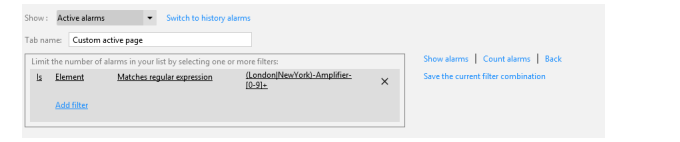
When creating a filter, select the Matches Regular Expression operator.
Specify a regular expression.
Regular expression syntax
You can use any regular expression.
For more information on how to construct regular expressions, here are a few interesting links:
Note
- DataMiner always wraps a regular expression in ^( and )$. This means that the expression must match the entire string.
- The checks are executed using the invariant culture and ignoring case.
Regular expression examples
London.*
Matches ...
London-Amplifier-1
London-Amplifier-2
Does not match ...
NewYork-Amplifier-1
East-London-Amplifier
Paris-Amplifier
(London|NewYork)-Amplifier-[0-9]+
Matches ...
London-Amplifier-1
NewYork-Amplifier-5
Does not match ...
Paris-Amplifier-7
London-Amplifier-XYZ
MAC-^([0-9A-F]{2}[-]){5}([0-9A-F]{2})
Matches ...
- MAC-A0-12-EF-DE-A1-C3
Does not match ...
- MAC-99-99-99-99-99