MediaOps Live 1.1.0
Note
This version requires:
- DataMiner 10.5.11 or higher.
- Standard Data Model Registration 2.0.0 or higher.
- Categories 1.2.5 or higher.
Tip
Installing MediaOps Plan alongside MediaOps Live allows you to schedule orchestration events. This requires MediaOps Plan 1.5.0 or higher.
New features
Control Surface: Direct access to job details [ID 45745]
A number of changes have been introduced to make it possible to see the job information associated with a destination directly from the Control Surface app, making it easier to understand what each destination is currently being used for:
Job details on destination tiles: When a destination has job information available, an info icon is shown on its tile.
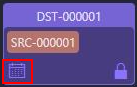
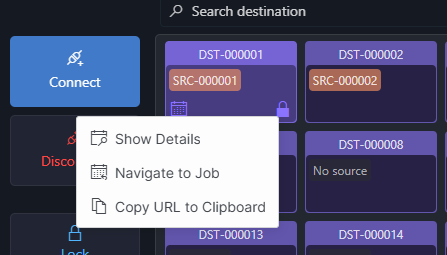
Selecting the icon opens a context menu with a Show Details option, which opens a dialog showing the job reference, name, description, and (when configured) a link to the full job details.
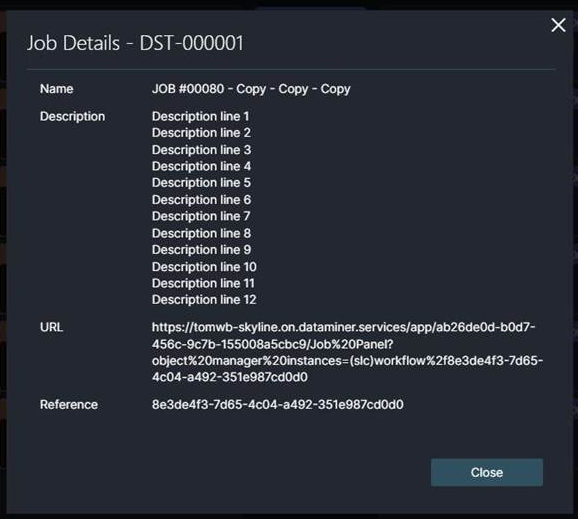
Direct access to the job details link: From the job details dialog you can click a link to the configured job details, taking you straight to the relevant job information.
Configuration page in the Control Surface app: A new Configuration page in the Control Surface app lets administrators enable the job details link and define the URL used to reach an external job system. The URL is set up as a template containing a placeholder (
[JOBREFERENCE]), which is automatically replaced with the actual job reference when a link is opened. This means a single template works for every destination, always pointing to the correct job.Automatic job information on destinations: Job details are automatically shown on a destination while it is in use by a job, and they are cleared again once the job ends, so that the Control Surface app always reflects the current situation without any manual upkeep.
In addition, the MediaOps Live API has been extended so that job information (job reference, name, and description) can be associated with a destination and cleared again from your own orchestration setup. This is what populates the job details shown in the Control Surface app.
Changes
Enhancements
Improved visualization of pending connections [ID 45594]
While a connection or disconnection is still in progress, an hourglass icon is now shown in front of the source name. This provides clearer feedback to the user about the current connection state.
Fixes
Discrete parameters with numeric values caused orchestration events to fail [ID 45773]
When discrete parameters were used with numeric values (e.g., to indicate video formats), it could occur that orchestration events failed. Now the validation correctly supports both numeric and string discrete parameters.
CSV import could include the wrong endpoint when source and destination endpoints had the same name [ID 45959]
When a source and destination endpoint in a virtual signal group shared the same name, a CSV import could include the wrong endpoint because matching was based on name only.
When you import a virtual signal group from CSV, endpoints will now be resolved by both role and name, preventing mismatches when source and destination endpoints share the same name.