Managing items & groups
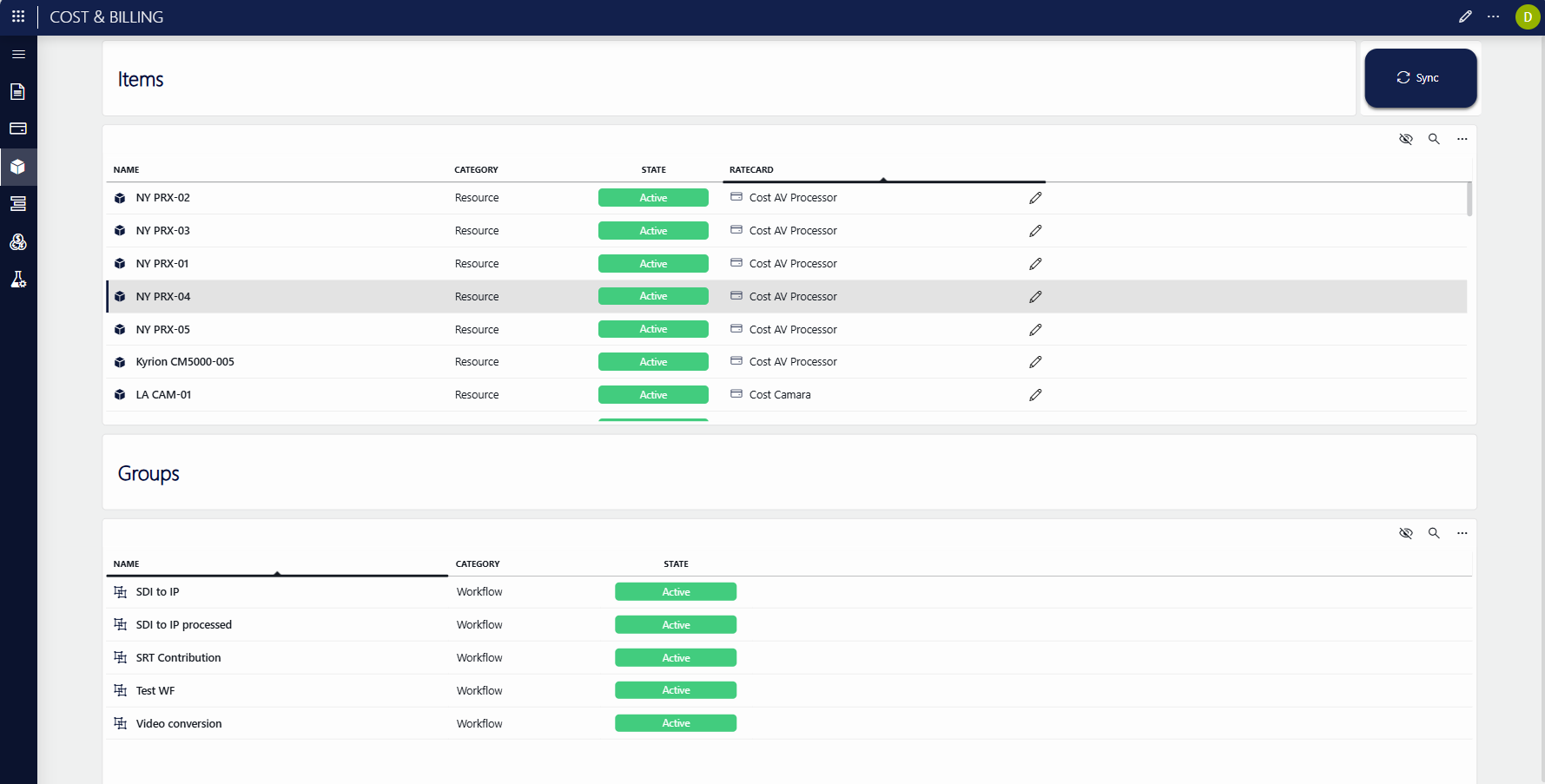
The Items & Groups page shows the inventory that has been brought into Cost & Billing from the external solution via the adapter:
The Items table lists all items synced from the external solution, and allows you to assign a cost rate card to each item.
If Cost & Billing is integrated with MediaOps Plan, the items are the resources and resource pools.
The Groups table lists all groups synced via the adapter.
In MediaOps Plan, these are the workflows.
About the 'Missing' state
When an item or group is removed or deprecated in the external solution, it is not deleted in Cost & Billing. Instead, its state changes to Missing.
This way, if the item or group is still linked to an older job, that relation is preserved for calculation purposes.
Syncing items and groups
On the Items & Groups page, you can synchronize the Cost & Billing Solution with the integrated external solution to keep the inventory up to date.
To do so, click the Sync button on the Items & Groups page. This will trigger the logic in the interface script, which in turn calls the adapter to synchronize with the external solution.