App settings
On the About page of the Asset Manager app, you can view and edit the app settings.
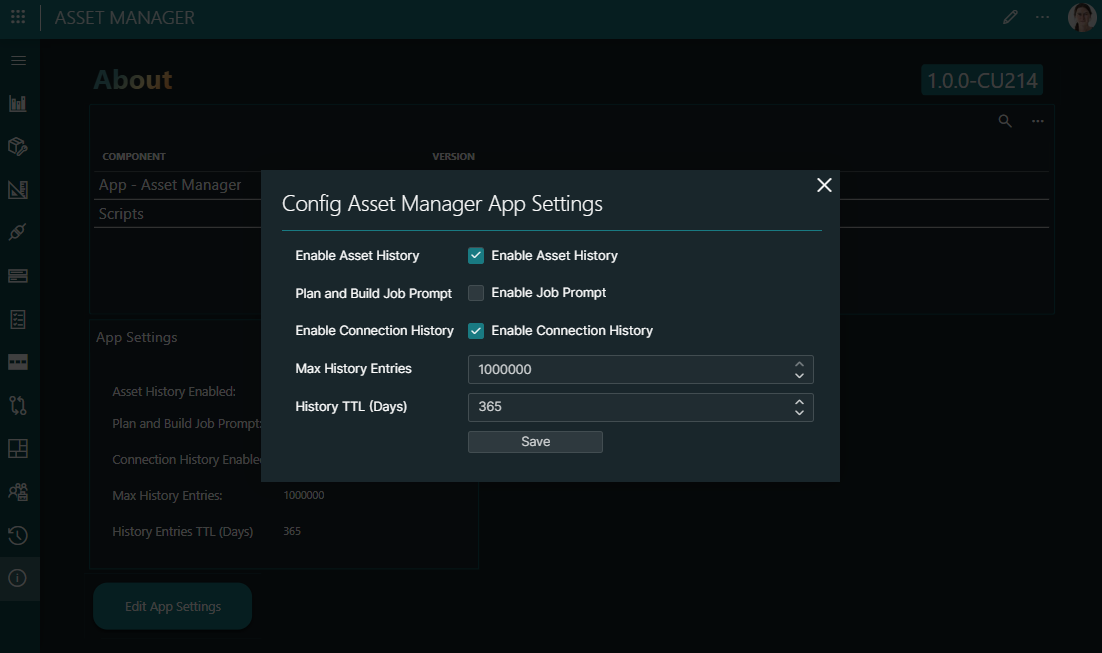
The Enable Asset History and Enable Connection History options determine whether asset and connection changes are tracked. If these are enabled, the history of assets and connections is displayed on the History page of the app.
The Plan and Build Job Prompt field allows you to define if you want to be prompted with the possibility to create a job every time you make any change in the Asset Manager (editing assets, creating connections, etc.). These jobs can be managed in the Plan and Build app.
The Max History Entries setting determines the maximum number of history records that will be kept, while the History TTL setting determines for how many days history records are kept.