ServiceNow integration
The DataMiner Ticketing solution can be integrated with ServiceNow to enable the creation and synchronization of external incidents.
This integration is implemented using a dedicated element, which manages the communication between DataMiner and the ServiceNow instance.
This element will also take care of any necessary mapping between the DataMiner Ticketing data format and the ServiceNow incident data format (for example, the Priority field is represented as Critical/High/Medium/Low in DataMiner Ticketing, but on ServiceNow this could be different).
Prerequisites
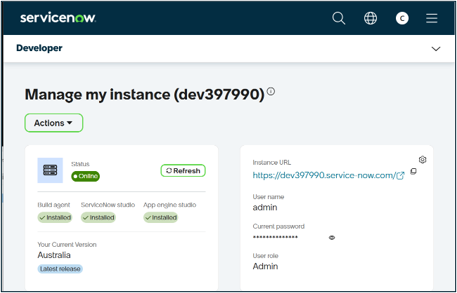
A ServiceNow instance must be available to allow incident creation.
Configuration
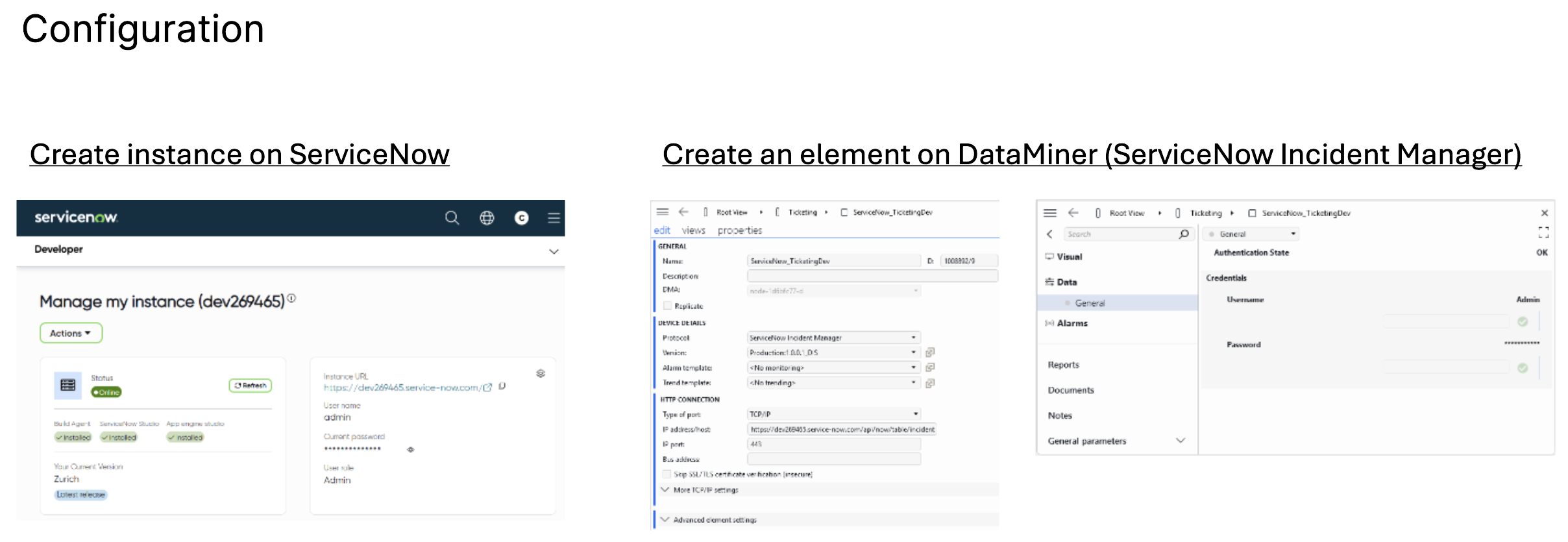
To configure the integration, create a DataMiner element using the ServiceNow Incident Manager connector (version 1.1.0.1 or higher), and configure the following parameters in the element:
- ServiceNow instance IP address or endpoint
- User credentials (username and password)
The image below shows the ServiceNow instance and the configured element.
When the element is created:
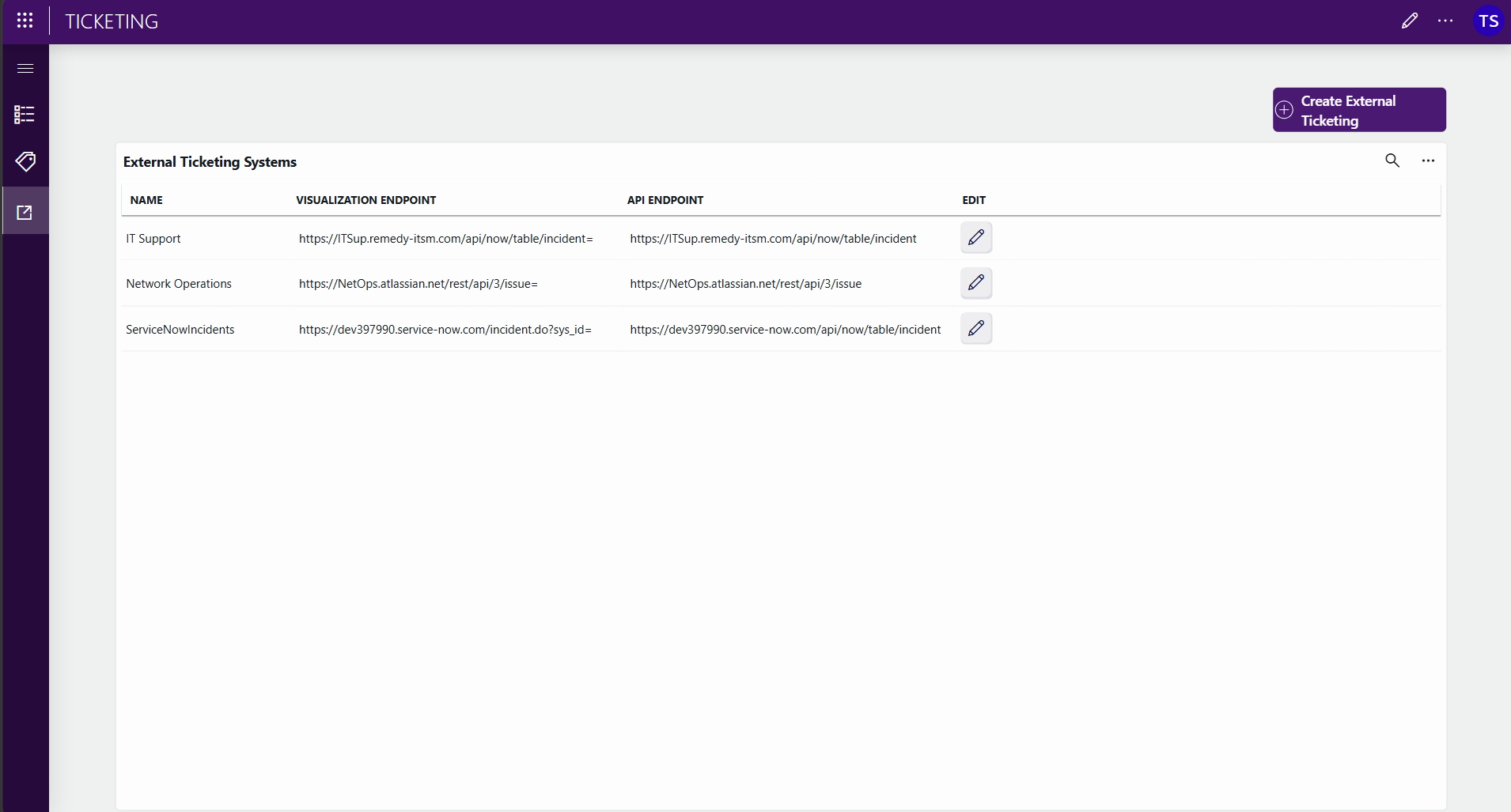
- An entry will automatically be added to the External Ticketing page in the Ticketing app.
- On this entry, a visualization endpoint is automatically configured, which will allow direct navigation to ServiceNow incidents from a ticket information page.
Ticket creation flow
Subscription mechanism
The ServiceNow connector subscribes to ticket creation events in DataMiner.
When a new ticket is created:
- A message is sent to the connector element.
- The message contains a GUID identifying the external ticketing configuration.
GUID matching
Each connector instance representing an external ticketing system is associated with a unique external identifier GUID.
- When a ticket is created, it includes an external identifier GUID reference.
- If the GUID in the ticket matches the connector GUID:
- The connector processes the request.
- A corresponding incident is created in ServiceNow.
Incident creation
When a match is identified:
- The connector creates an incident in ServiceNow.
- ServiceNow returns its incident ID.
- The connector sends this ID back to the DataMiner Ticketing app.
Ticket and incident linking
After the incident is created:
- The ServiceNow incident ID is stored in the DataMiner ticket.
- The Ticketing app can construct a direct link using:
- The visualization endpoint
- The incident ID
This allows users to open the corresponding ServiceNow incident directly from DataMiner.
Update behavior
In this implementation, synchronization is one-way for updates. Updates are propagated from ServiceNow to DataMiner only.
The connector element periodically polls the ServiceNow instance for updates. When a change is detected:
- The update is retrieved using the ServiceNow incident ID.
- The corresponding DataMiner ticket is located.
- The ticket is updated in the Ticketing app.