Configuring the asset hierarchy
Assets inherit their hierarchy from the device type of their asset class. In addition, they can inherit a number of slots defined for the asset class.
After you open the Asset details pane for an asset (via the ⓘ button on the Managed Assets page), the buttons at the top of that pane will allow you to add or modify assets assigned to the hierarchy.
Configuring slots for an asset
If the relevant slots are supported for the asset class of your asset, the buttons Cards, Modules, Fans, and/or Power Supplies will be available at the top of the Asset details pane.
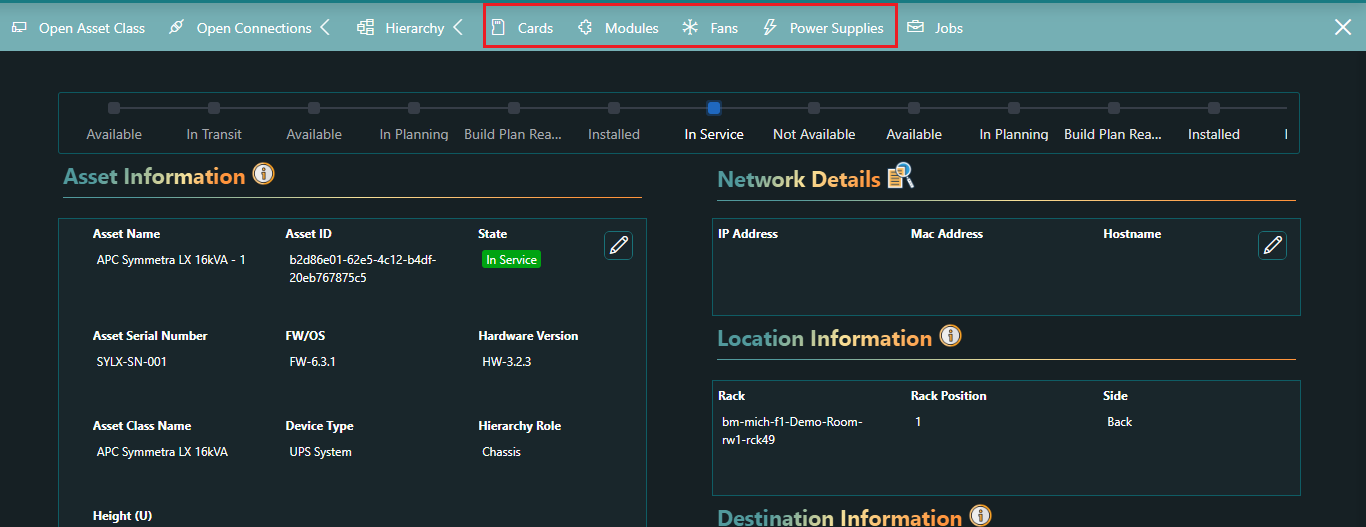
Clicking such a button will open a pane where you can add slots with the Add button at the top.
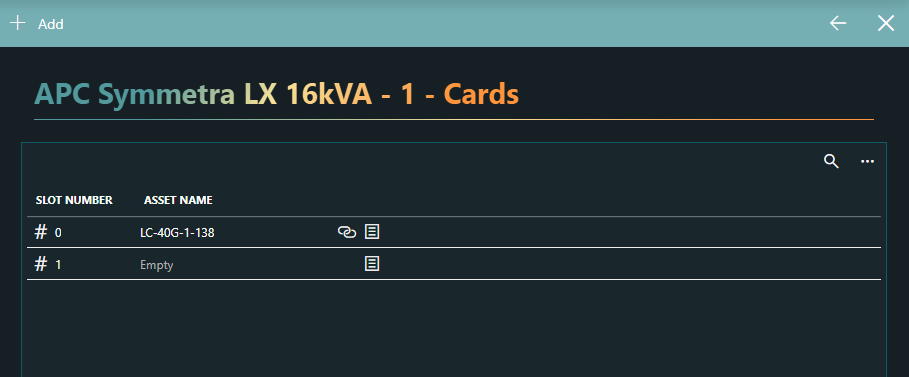
Assigning assets to slots
When you have configured slots for an asset as detailed above, you can immediately add assets to them by clicking the  icon
icon
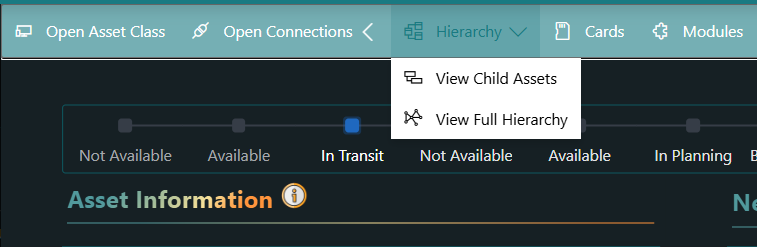
Alternatively, you can configure the assets based on a full overview of the hierarchy by clicking the Hierarchy button in the Asset details pane and selecting View Full Hierarchy.
This will open a pane where all the slots in the hierarchy are shown as nodes in a node-edge graph. Hovering the mouse pointer over a node opens a pop-up box with more information about that node.
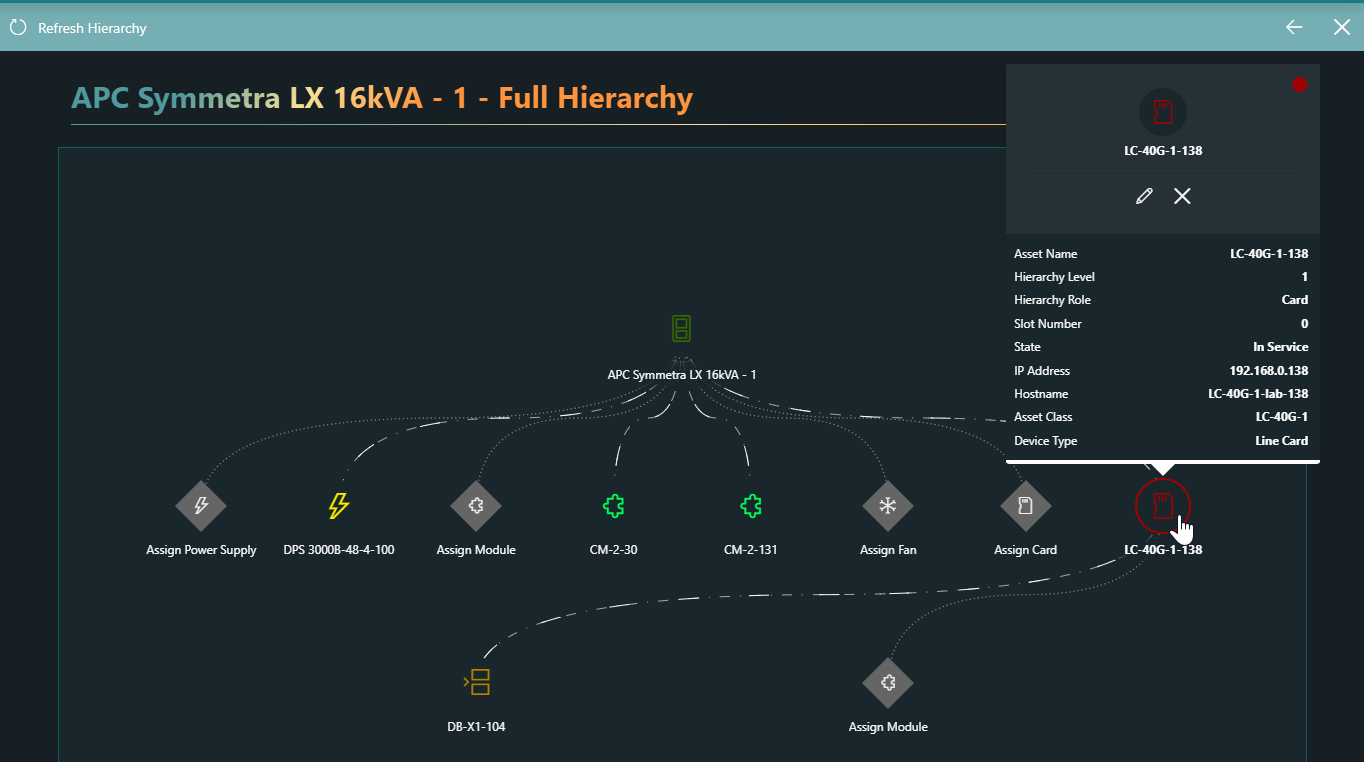
For slots that already have assets assigned to them, the X icon in the pop-up box can be used to remove the asset, and the pencil icon allows you to assign a different asset.
Clicking an empty node in the node-edge graph will immediately open the dialog to assign an asset to the slot.
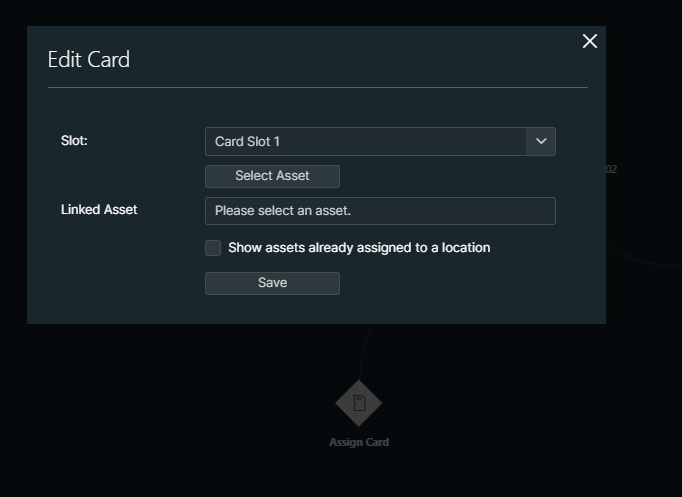
However, note that you will only see nodes in the graph if the necessary slots have been configured.
Note
After you have made changes to the hierarchy, click the Refresh Hierarchy button at the top of the pane to view the effect of your changes.
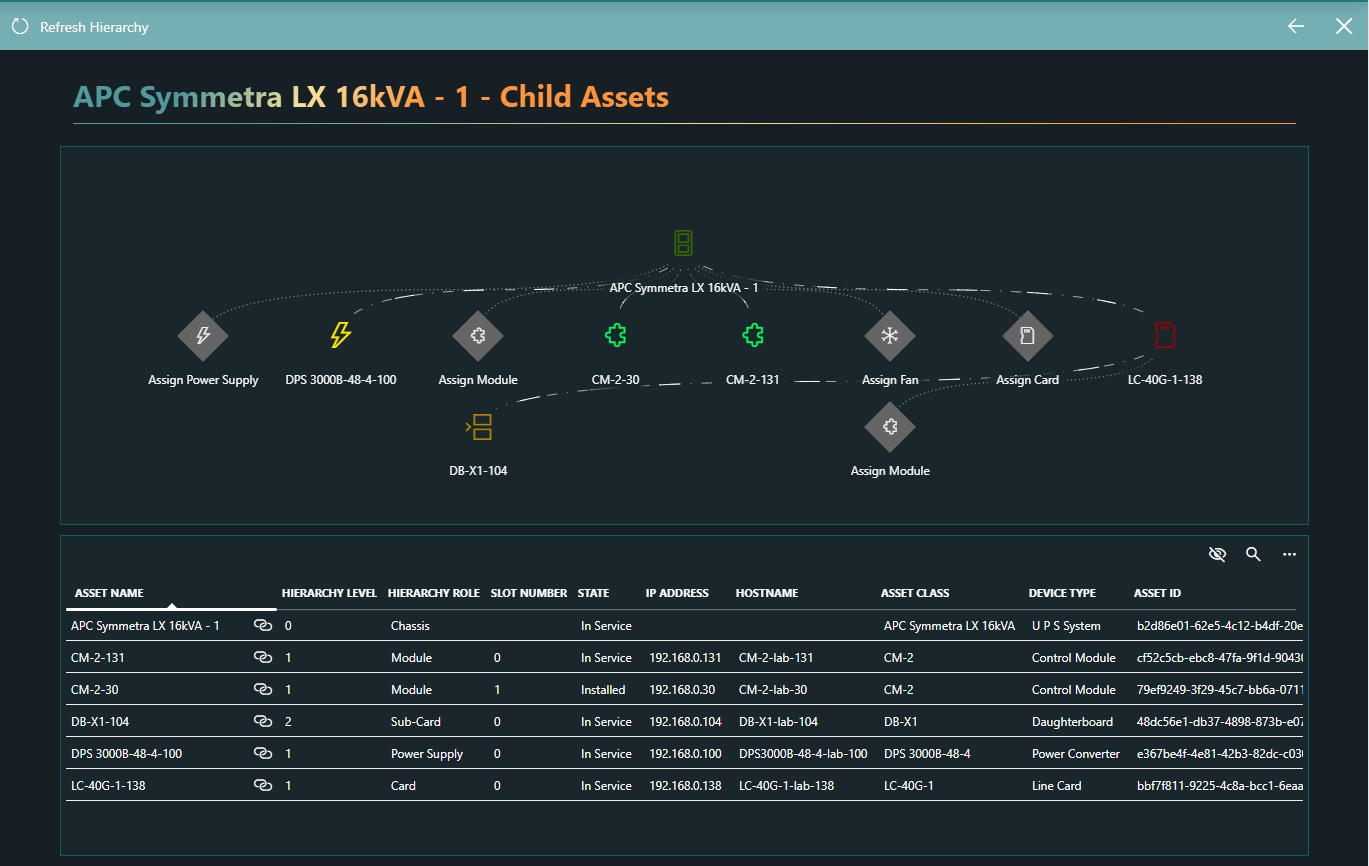
Viewing an overview of all child assets
To get an overview of all the child assets that have been configured for an asset, with both a node-edge graph illustrating how they are linked and a table listing the different assets, at the top of the Asset details pane, select Hierarchy > View Child Assets.