Configuring the asset location
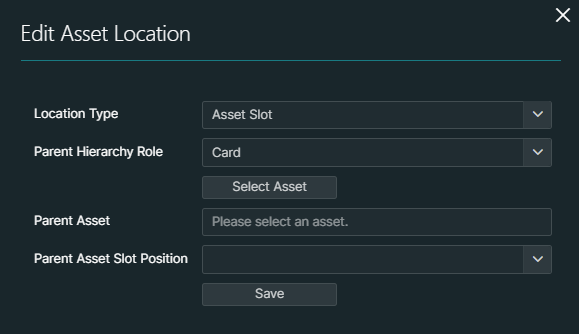
To configure the location information for an asset, in the Asset details pane, click the pencil icon in the Location Information section.
Configuring a location for an asset is only possible if the asset is in the "Available", "In Planning", or "Build Plan Ready" state.
Depending on the type of asset, different types of locations can be configured:
Asset Slot: An asset with a lower hierarchy level (Card, Fan, Module, Power Supply, or SubCard) or "child" asset can be placed in an asset slot of a "parent" element with a higher hierarchy level. For this both the "child" asset and the "parent" asset must have the "Available", "In Planning", or "Build Plan Ready" state. See Device type hierarchy roles.
Container/Desk/Rack/Room/Building: You can assign an asset to any of these locations.
Assigning an asset to a rack is only possible if its asset class has more than 0 U of height defined, and its device type is configured as a "Rack Unit consumer" (see Configuring device types).
No Location: This option allows you to remove the currently configured location.