Assistant chat
The assistant chat component allows you to interact with the DataMiner Assistant directly from a dashboard or low-code app, without leaving the page. You can submit questions using text or voice input and, depending on the available configuration, choose a response mode and AI model before sending your request.
The DataMiner Assistant is currently in development and available as a preview feature upon request. When preview access is enabled, the assistant chat component also becomes available.
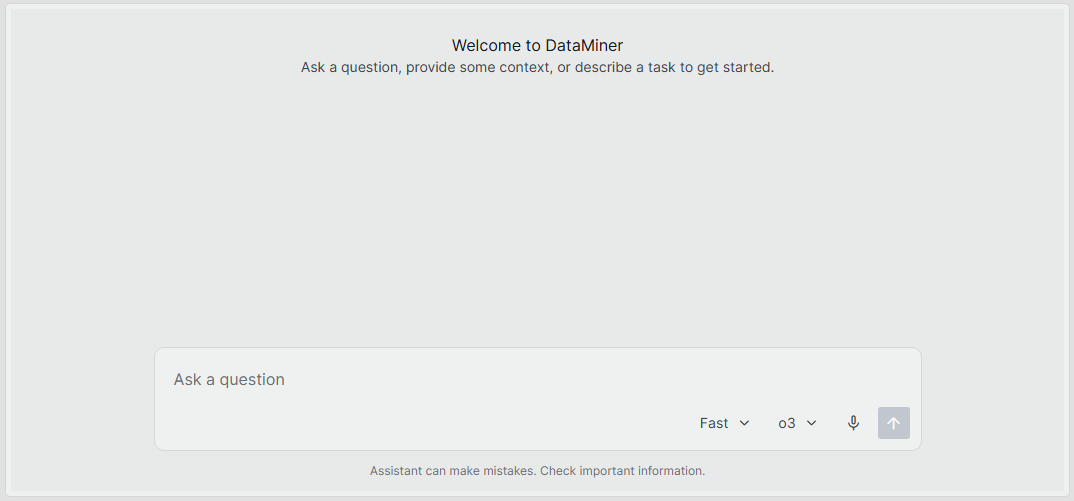
Assistant chat component in DataMiner 10.6.9
Interacting with the assistant chat component
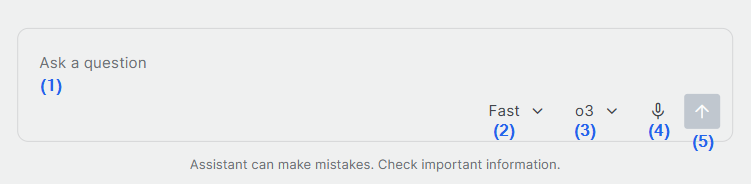
Assistant chat component in DataMiner 10.6.9
To interact with the DataMiner Assistant, use the following areas of the assistant chat component:
(1): Enter a question or request for the Assistant.
(2): Choose whether the Assistant should prioritize response speed or more in-depth answers.
(3): Choose the AI model that will process your request.
(4): Select the microphone icon to dictate a question instead of typing it.
(5): Submit your question to the Assistant.
Configuration options
In the Layout pane, you can find the default options available for all components. See Customizing the component layout.
Additionally, the Settings pane provides the following options:
| Section | Option | Description |
|---|---|---|
| General | Agent | Select the assistant agent that will handle chat conversations. For example, select DataMiner Docs to get information based on the official documentation. |
| General | Title | Specify the text displayed at the top of the component. |
| General | Subtitle | Specify the text displayed below the title. |
Assistant chat component actions
Component actions are operations that can be executed on a component when an event is triggered.
When you select the Execute component action option, you can choose from a list of components in the app and the specific actions available for each of them.
For the assistant chat component, the following component action is available:
Start new conversation: Starts a new conversation with the DataMiner Assistant without requiring you to interact directly with the assistant chat component itself.
When configuring this action, you can specify either:
A fixed value to send as a query to the Assistant.
A dynamic value, such as the value of another component (for example, a text input component) or a URL parameter.
When the action is triggered, the value is sent to the Assistant as a query.
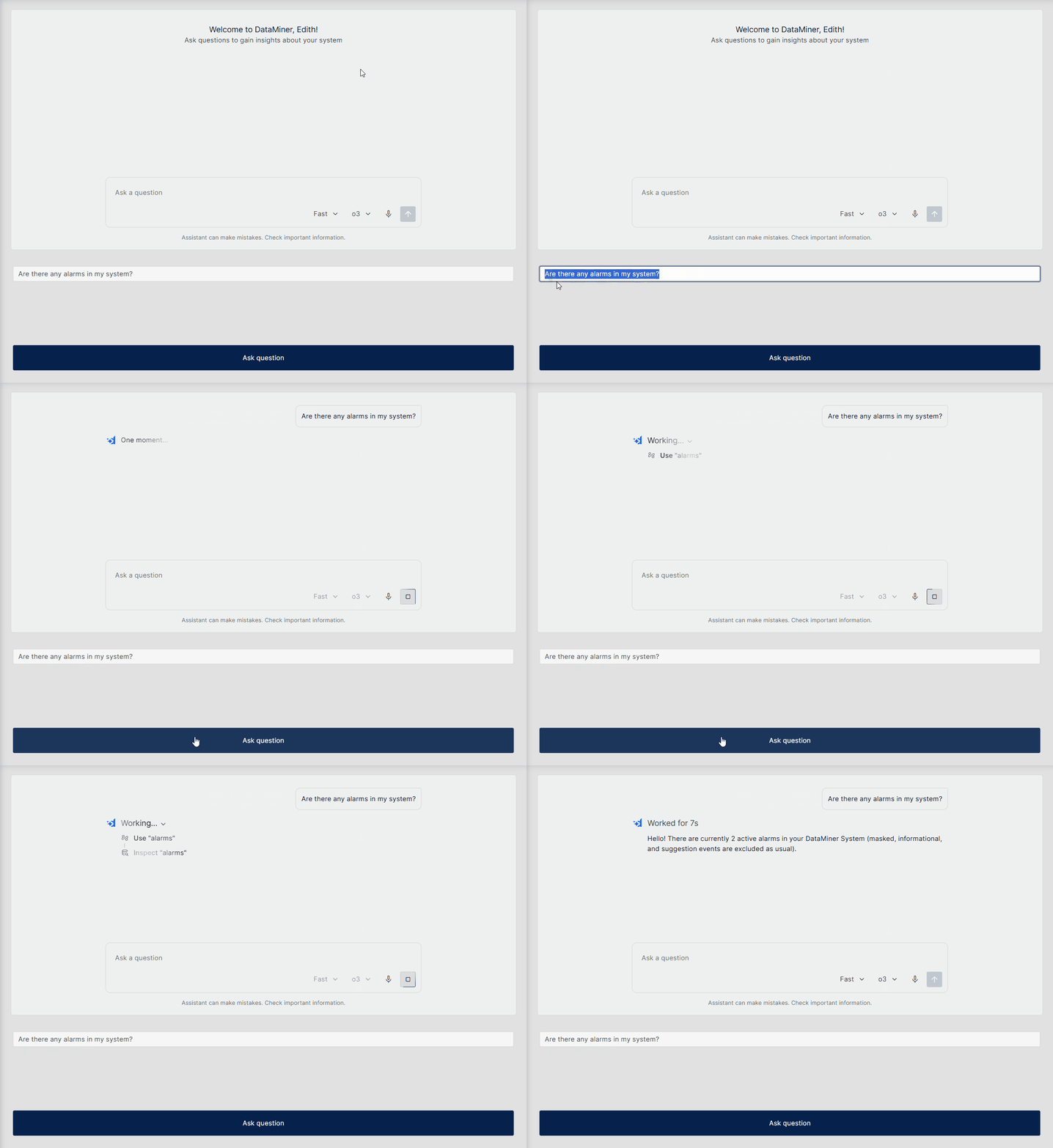
Assistant chat component started through a 'Start new conversation' component action when the button component is clicked, using the value entered in the text input component (DataMiner 10.6.9)