Workflow Designer
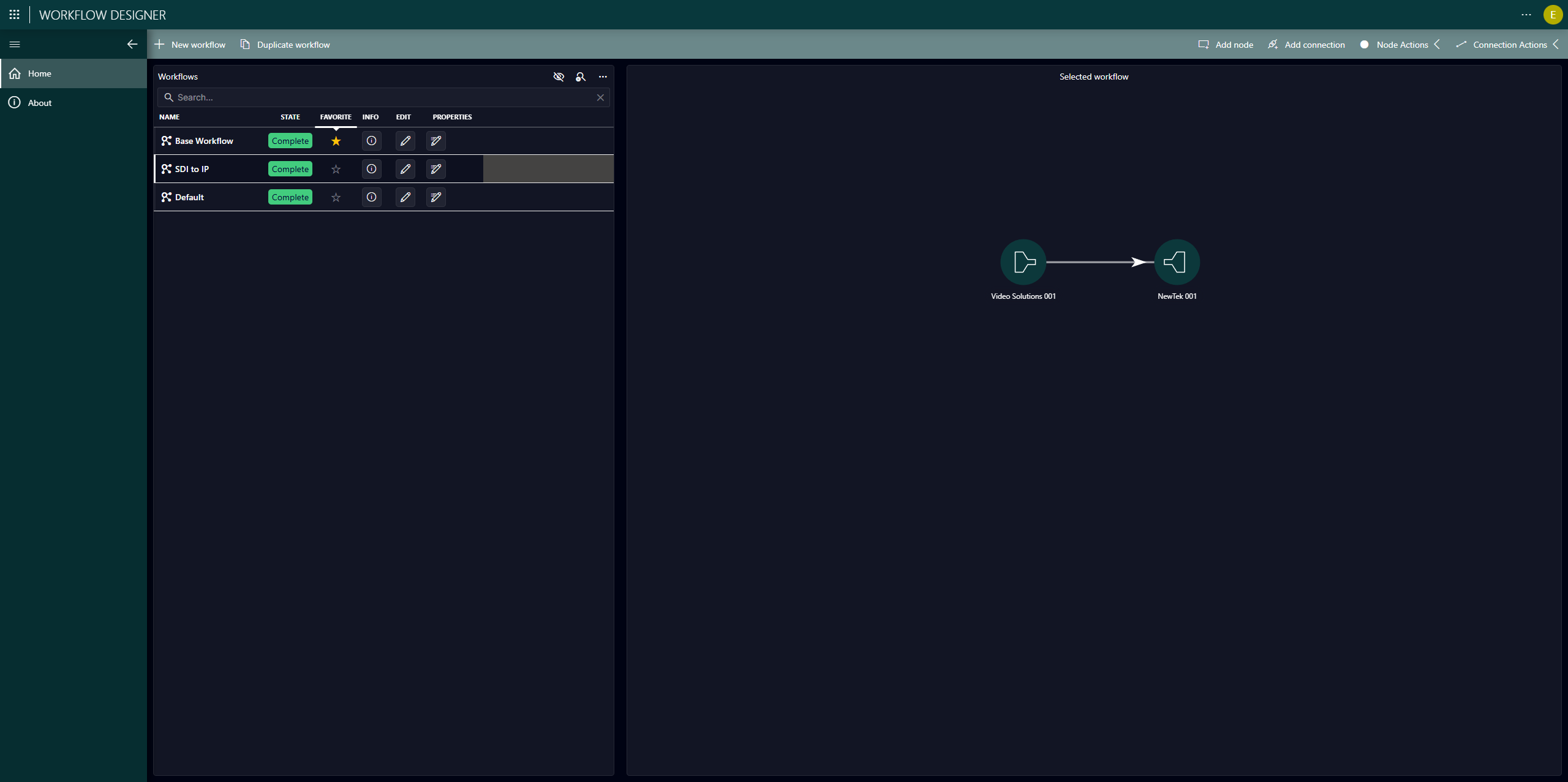
The Workflow Designer is an operator-level DevOps environment to create technical workflows. In the app, users can define workflows that describe how signals go through devices, determine what actions take place, define filters for resource selection, etc. Each workflow consists of a set of nodes and a set of connections between these nodes. These typically describe how a source signal is transported to a destination and how it gets processed in between. These workflows can then be executed by scheduling a job in the Scheduling app.
Tip
Do you prefer visual learning? Take a look at the demo video about this app. Or if you would like a practical example of how to use this app, refer to the tutorial Creating a workflow to use as a template for a job.
App overview
The following pages are available in the Workflow Designer app:
 Home: Allows you to keep track of all workflows in the system, create new workflows, and duplicate, update, or delete existing workflows. To update workflows, you can use the pencil icon to open the Edit workflow panel. Similar to the automatic locking mechanism for jobs, automatic locking is done to avoid conflicts when multiple users try to update the same workflow.
 About: Provides information on the version of the MediaOps package.
Workflows
A workflow defines which resources and resource pools are needed for an operation, and how they are interconnected. This is useful if you want to reuse the same set of resources in multiple jobs. For example, if a certain set of resources is always required when organizing live broadcast events, you can group these into a "Live Broadcast" workflow and use it whenever you want to send out a crew for a live broadcast operation.
Workflow Designer allows you to use resource pools in your workflows, enabling you to specify which types of resources you need in your workflows, without the need to specify the exact resources up front.
See Creating workflows and Edit workflow panel for more information on how to manage workflows.