Tools
In the context of DataMiner Assistant, tools are actionable capabilities that give AI agents the ability to query data and execute actions within a DataMiner System. Unlike skills, which provide instructions and workflows, tools perform concrete operations.
Tools can be assigned as references to specialized agents, giving them explicit access to specific data sources or scripts. Native agents have access to all available tools by default.
Types of tools
The following types of tools are available:
- Data tools: These allow agents to discover and query supported GQI data sources, including standard sources, DOM instances, and ad hoc data sources. Several native data tools are available, and it is also possible to create custom data tools.
- Script tools: These allow specialized agents to execute explicitly assigned DataMiner Automation scripts.
Creating and managing tools
You can create and manage tools on the Tools page of the Assistant app. This page displays the available tools in searchable lists. With the buttons at the top, you can switch between data and script tools.
In the data tools list, tags indicate native data tools, custom data tools based on DOM, and custom data tools based on an ad hoc data source.
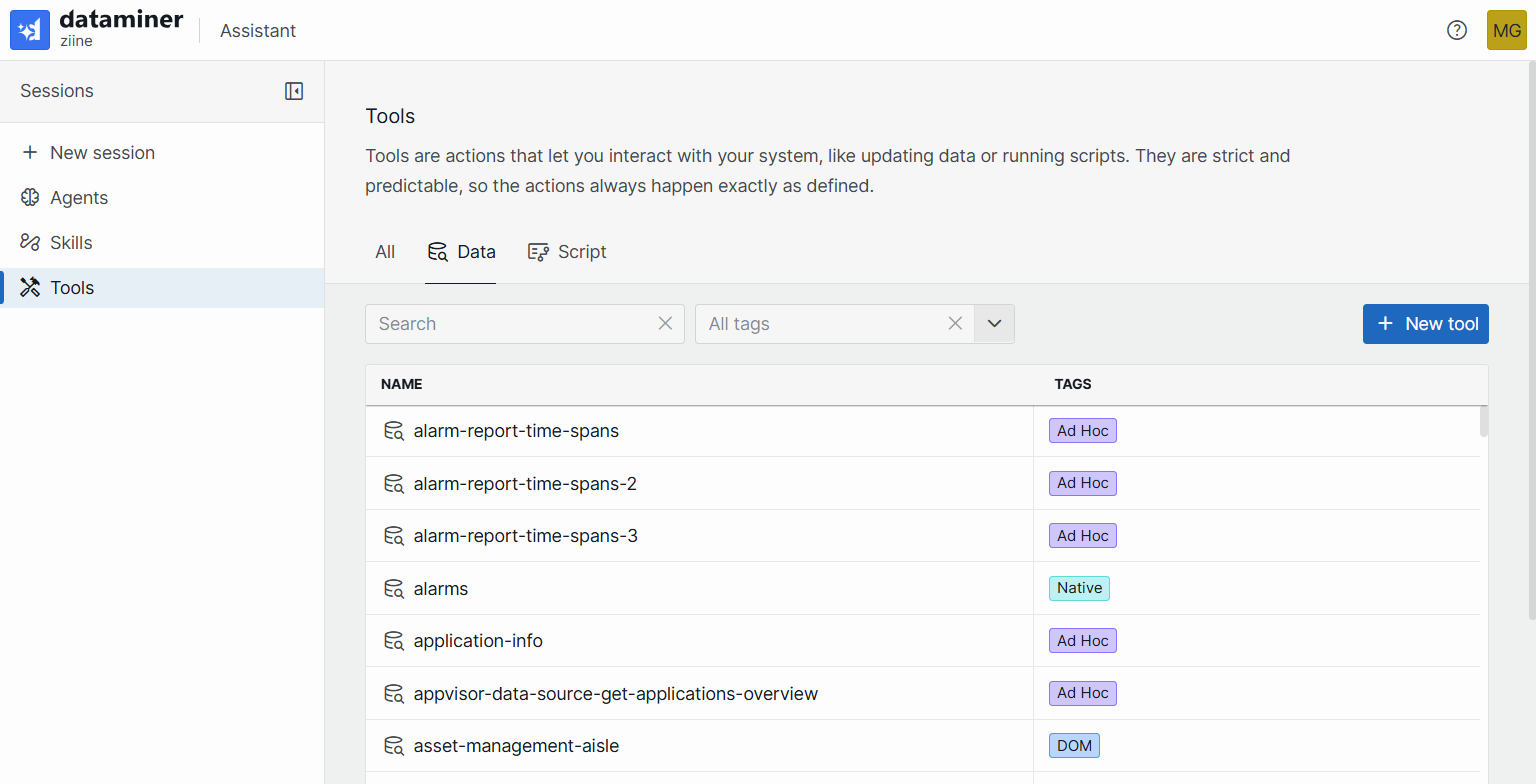
From this page, you can:
Search for existing tools by name using the search bar.
Create a new tool by clicking the + New tool button.
Edit a tool by clicking the pencil button next to the tool in the list.
Duplicate or delete a tool by clicking the ellipsis button (...) next to a tool in the list. Selecting Duplicate creates a copy of the tool, pre-filled with all the original data and an automatically generated unique name. Selecting Delete removes the tool entirely.
Tip
For details about the tool editor, see Creating or editing custom data tools and Creating or editing script tools.
Note
While no specific permissions are required to view existing tools, creating or editing tools requires the Modules > System configuration > Tools > Admin tools user permission.