Satellite Inventory
The Satellite Inventory app enables satellite operators to model and manage their full satellite inventory, including satellites, beams, transponders, transponder plans, and the corresponding transponder slots.
With the Satellite Inventory app, you can:
- Create, edit, and manage satellites, beams, and transponders through guided, interactive dialogs.
- Quickly set up a ready-made inventory by deploying the TerraBeam demo data package. This separate DataMiner Catalog item provides satellites, beams, and transponders based on a fictitious European satellite operator.
- Define time-boxed transponder plans with configurable slot sizes, generate transponder slots from those plans, and configure a permanent base plan.
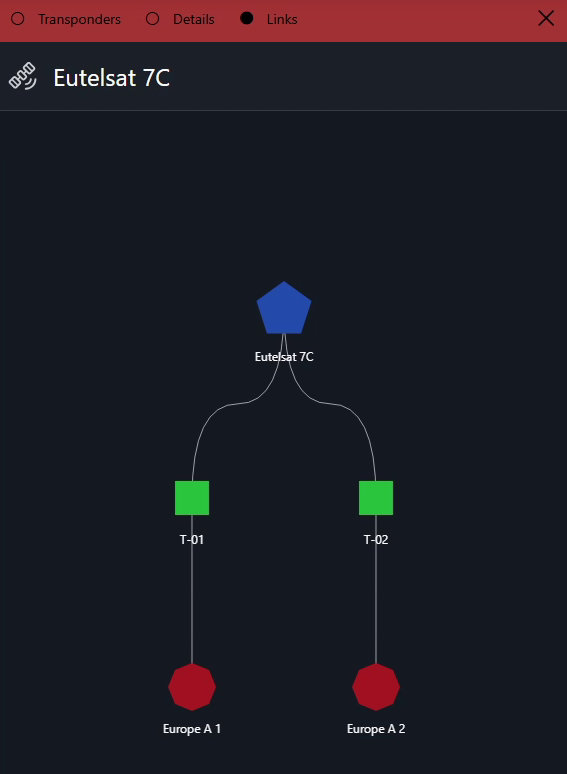
- Visualize the satellite hierarchy (satellite, beams, transponders) in an interactive node edge graph.
- Visualize transponder plan layouts and inspect individual transponder slots from a dedicated panel.
- Display satellite coverage areas and beam footprints on a geographical map using KML files.
- Navigate directly from a transponder to the corresponding view in the Satellite Scheduling app and vice versa.
- Keep transponder resources in sync with MediaOps Plan Resource Studio, including automatic activation and deprecation of these resources.
Main concepts
The Satellite Inventory app lets you build and maintain a complete model of your satellite fleet. It is structured around the following main concepts:
- Satellite: The top-level entry in the inventory. A satellite groups one or more beams.
- Beam: A coverage area of a satellite. Beam footprints and satellite coverage areas can be displayed on a geographical map using KML files. A beam groups one or more transponders.
- Transponder: A repeater on the satellite that relays signals within a beam. Each transponder has a bandwidth that is divided into slots.
- Transponder plan: A time-boxed (or permanent base) layout that defines how a transponder's bandwidth is divided into slots. Transponder slots are generated from these plans.
- Transponder slot: A bookable unit of transponder capacity, scheduled in the Satellite Scheduling app.
The satellite hierarchy, consisting of satellites, beams, and transponders, can be visualized in an interactive node edge graph, and transponder plan layouts can be inspected slot by slot.
Note
The Satellite Inventory app works on top of the MediaOps Plan Resource Studio. Each transponder you create is also a DataMiner resource, so the transponders you manage here are the same ones that Satellite Scheduling books against. Satellite Inventory adds the satellite-specific structure, such as satellites, beams, transponder plans, and slots, on top of those resources.
Navigating the app
The sidebar on the left of the Satellite Inventory app contains buttons that provide access to the different pages of the app:
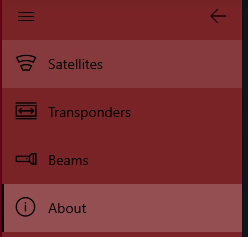
Satellites: The main page of the app. It lists all configured satellites and is your starting pont for adding satellites and drilling down into their beams and transponders. See Managing satellites.
Transponders: This page lists all configured transponders and lets you manage them. See Managing transponders.
Beams: This page lists all configured beams and lets you manage them. See Managing beams.
About: This pages shows the version of the app and the version of the SatOps Catalog package you are working with. This allows you to verify exactly which version of the standard solution you are using. At the bottom of the page, the Help button links to the official SatOps documentation on DataMiner Docs.
